
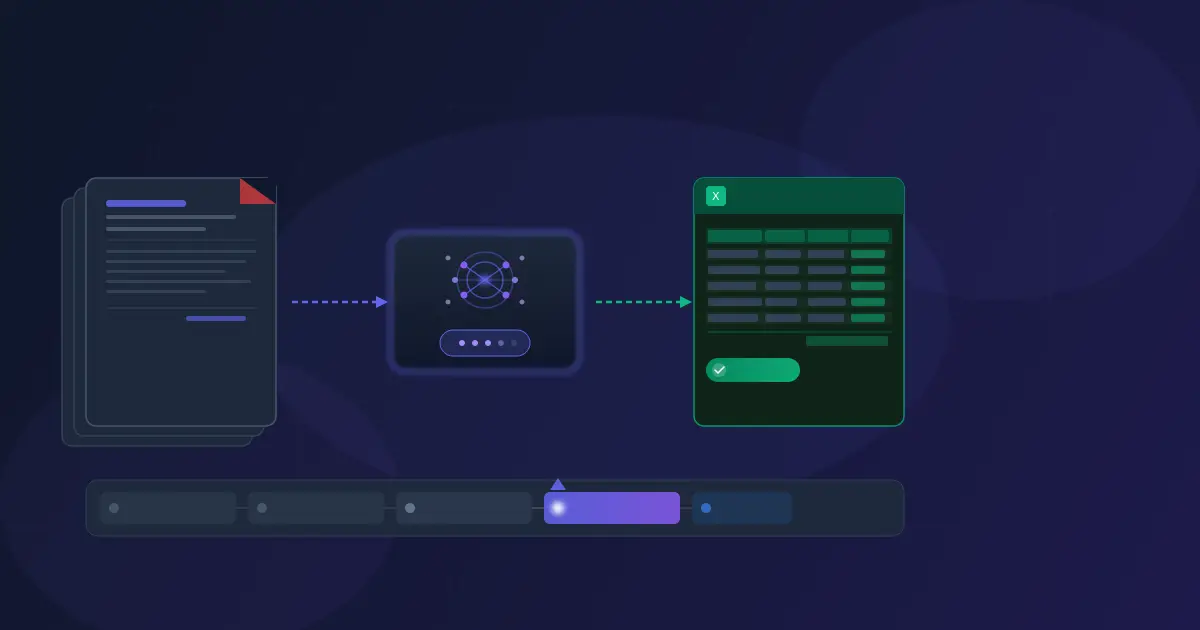
Invoice processing automation uses AI and software to extract, validate, and organize data from invoices without manual entry. This guide covers the full spectrum — from basic OCR tools to AI-powered extraction platforms like Invoscope — with step-by-step implementation advice for businesses of every size.
If you process more than a handful of invoices each month, the time your team spends manually keying data into spreadsheets adds up quickly. At 5–10 minutes per invoice, 100 invoices a month represents a full week of labor spent on a task a well-configured tool can complete in seconds. This guide will help you understand exactly what automation looks like at each stage, what it costs to stay manual, and how to move forward.
5 Levels of Invoice Processing Automation
Not all invoice automation is the same. Before choosing a tool or approach, it helps to understand where your business currently sits on the automation spectrum — and where you actually need to be.
Level 1: Fully Manual
At the baseline, someone reads each invoice on screen or on paper and types the data into a spreadsheet, accounting system, or ERP entry form. Every field — vendor name, invoice number, date, line items, totals — is transcribed by hand.
Speed: 5–15 minutes per invoice. Error rate: 1–4%. Cost: $12–$15 per invoice when you account for all-in labor. This approach works at very low volumes — fewer than 10 invoices per month — but becomes a measurable cost center quickly beyond that.
Level 2: Spreadsheet-Assisted
Many teams add structure to manual entry with Excel or Google Sheets templates: pre-built columns, data validation dropdowns, and summary formulas. Data entry is still manual, but output is more consistent and errors are slightly reduced because the template enforces field formats.
Speed: 4–10 minutes per invoice. This is better than pure manual but still fundamentally limited by human typing speed. The spreadsheet itself becomes the system of record, which creates version control and access problems as volume grows. See our full breakdown of invoice spreadsheets vs. AI extraction.
Level 3: Basic OCR
Optical Character Recognition (OCR) software reads text from PDF or scanned invoices and outputs a text layer. Some tools then attempt to map detected text to fields. This approach is faster than manual entry and handles high volumes, but accuracy drops significantly with non-standard invoice layouts, scanned documents, or invoices with complex line-item tables.
Speed: Seconds to minutes per invoice, depending on tool. Accuracy: 80–92% on standard formats, lower on scans. Basic OCR tools miss structure — they extract characters without understanding that "Invoice Total" and the number below it belong together. You often end up spot-checking and correcting more than you saved.
Level 4: AI-Powered Extraction
Modern AI invoice tools understand document structure, not just characters. They identify fields by context — recognizing that a date near "Invoice Date:" is a different field than a date near "Due Date:" — and extract structured data including header fields and full line-item tables.
This is where Invoscope operates. The Quick Analyze mode processes any invoice format without template setup in approximately 5 seconds. The Smart Projects mode lets you train the AI on your specific vendor layouts and batch-process hundreds of invoices automatically. Accuracy reaches 99.2%+ on standard invoice formats.
Speed: ~5 seconds per invoice. Accuracy: 99.2%+. Cost: $0–$99.99/month flat, regardless of volume tier. This is the right level for most SMBs processing 10–10,000 invoices per month.
Level 5: End-to-End AP Automation
Enterprise AP automation platforms handle the full accounts payable lifecycle: extraction, three-way PO matching, approval routing, payment scheduling, and ERP integration. These are systems like SAP Concur, Coupa, or Tipalti — designed for organizations processing thousands of invoices monthly across multiple departments, cost centers, and approval tiers.
Speed: Near-instant on intake, but approval workflows add hours to days. Cost: $500–$5,000+/month plus implementation and IT overhead. This is the appropriate level for mid-market and enterprise finance teams — not for SMBs that primarily need the extraction step. See our comparison of enterprise AP software vs. Invoscope.
Summary: All 5 Levels at a Glance
| Level | Method | Speed | Accuracy | Monthly Cost | Best For |
|---|---|---|---|---|---|
| 1 | Fully Manual | 5–15 min/invoice | 96–99% | $12–15/invoice labor | Fewer than 10 invoices/month |
| 2 | Spreadsheet-Assisted | 4–10 min/invoice | 97–99% | Labor + software | Structured workflows, low volume |
| 3 | Basic OCR | Seconds + review | 80–92% | $50–300/month | High volume, standard formats only |
| 4 | AI-Powered Extraction | ~5 seconds | 99.2%+ | $0–99.99/month | SMBs, 10–10,000 invoices/month |
| 5 | End-to-End AP Automation | Near-instant + workflows | 99%+ | $500–5,000+/month | Mid-market and enterprise finance teams |
How AI Invoice Extraction Actually Works
Understanding the mechanics helps you evaluate tools honestly and set realistic expectations. AI-powered invoice extraction is fundamentally different from basic text recognition, and that difference explains the accuracy gap.
Document parsing: The AI receives your invoice file — PDF, JPG, or PNG — and converts it into a representation it can analyze. For PDFs, this includes reading the embedded text layer if one exists, and processing the visual layout as a structural document rather than a flat string of characters.
Layout understanding: This is where modern AI separates from OCR. Instead of simply reading text left-to-right, the system understands that invoice documents have predictable zones — header, vendor block, line-item table, totals section — and uses that spatial context to classify each piece of text. A number near "Total" in the footer zone means something very different from a number in a line-item column.
Field identification: The AI identifies standard invoice fields (vendor name, invoice number, invoice date, due date, purchase order number, subtotal, tax, total) and maps each detected value to the appropriate field. For unfamiliar invoice formats, the AI uses contextual clues and its training on millions of invoice layouts.
Line-item extraction: Extracting the line-item table is the hardest part of invoice processing. Each row in the table must be read as a unit — description, quantity, unit price, amount — and the AI must handle multi-line descriptions, merged cells, and inconsistent column labeling across different vendors. This is the step that basic OCR consistently fails on.
Template learning with Smart Projects: When you use Smart Projects, you upload 1–3 sample invoices from a specific vendor. The AI analyzes the layout, detects all available fields including custom ones, and saves a template. Every future invoice from that vendor is then processed against that template — ensuring consistent column naming, field selection, and output format for your Excel exports.
Confidence scoring: Each extracted field carries a confidence score. Fields below the threshold are flagged for review. At 99.2% accuracy on standard formats, most invoices require zero corrections, but the review step ensures you catch the rare exceptions before exporting.
Step-by-Step: Automating Your Invoice Processing
Moving from manual to automated doesn't require an IT project. Here is a practical path that most businesses can complete in a single week.
Step 1: Audit your current process. Before choosing a tool, spend 30 minutes counting your actual invoice volume. How many invoices do you receive per month? How long does each take to process? What is your error rate — how often do you catch and fix a data entry mistake? These three numbers define your baseline cost and the ROI threshold for automation.
Step 2: Choose the right automation level for your volume. Use the table above. If you process fewer than 10 invoices per month with zero growth, a spreadsheet template (Level 2) may be sufficient. If you process 20 or more, AI extraction (Level 4) pays for itself immediately. If you are processing invoices from fewer than 5 recurring vendors and the formats are consistent, Smart Projects batch automation is the fastest path to zero manual effort.
Step 3: Start with a free tool to test accuracy on your actual invoices. The most important thing to test is accuracy on YOUR invoice formats specifically — not on demo invoices. Create a free Invoscope account (no credit card required) and run 5–10 of your real invoices through Quick Analyze. You will see immediately which fields extract correctly, which need adjustment, and whether the tool handles your most complex invoice layouts.
Step 4: Set up custom templates for your recurring vendors. Once you have confirmed accuracy on your invoice formats, create a Smart Project for each vendor you process regularly. Upload 1–3 sample invoices, select which fields you need in your output, and save the template. This one-time setup — about 5 minutes per vendor — eliminates all future manual work for that vendor's invoices.
Step 5: Scale with batch processing and queue management. With Smart Projects configured, you can upload an entire month's invoices from a single vendor at once. The background queue processes them automatically and notifies you when complete. For businesses receiving invoices by email, establish a habit of downloading them in bulk and uploading weekly or daily batches rather than processing one at a time.
Step 6: Measure ROI and optimize. After 30 days, revisit your baseline numbers. Compare the time your team now spends on invoice processing against the pre-automation baseline. For most businesses, the time savings become visible in the first week. Track your accuracy rate and use the review step to identify any invoice formats that might benefit from a dedicated Smart Project template.
The ROI of Invoice Processing Automation
The business case for automating invoice processing is straightforward once you assign a number to your current process.
Manual cost benchmarks: Industry benchmarks consistently put the all-in cost of manually processing a single invoice at $12–$15. This figure includes data entry time (5–15 minutes at loaded labor rates), verification against the original document, error correction downstream, and approval routing overhead. Read our detailed breakdown in The Real Cost of Manual Invoice Processing [2026 Data].
Time comparison: At ~5 seconds per invoice with AI extraction versus 5–15 minutes manually, the time difference is roughly 60–180x per invoice. For a team processing 200 invoices per month, that represents 15–50 hours of reclaimed time — time that can be redirected to actual finance work rather than data entry.
Error reduction: Manual data entry produces error rates of 1–4% across industries. At 99.2%+ AI accuracy, you eliminate most of those errors entirely. Each error caught and corrected downstream costs additional time — often 10–30 minutes per incident when you account for identifying the discrepancy, tracing it back to the original invoice, and correcting the downstream records. Error reduction alone justifies automation for high-volume operations.
Annual Savings by Invoice Volume
| Monthly Volume | Manual Labor Cost/Month | Invoscope Cost/Month | Monthly Savings | Annual Savings |
|---|---|---|---|---|
| 50 invoices | $600–$750 | $9.99 (Starter) | ~$590–$740 | ~$7,000–$8,900 |
| 200 invoices | $2,400–$3,000 | $49.99 (Pro) | ~$2,350–$2,950 | ~$28,200–$35,400 |
| 500 invoices | $6,000–$7,500 | $99.99 (Enterprise) | ~$5,900–$7,400 | ~$70,800–$88,800 |
| 1,000+ invoices | $12,000–$15,000+ | $99.99 (Enterprise) | ~$11,900–$14,900+ | ~$142,800–$178,800+ |
These figures use the $12–$15 per invoice industry benchmark for manual processing labor. Your actual savings depend on your loaded labor rate and current process efficiency. See Invoscope's pricing page for the full plan breakdown.
Common Mistakes When Automating Invoice Processing
Most businesses that struggle with invoice automation make one of a handful of avoidable errors. Understanding them before you start saves time and money.
Mistake 1: Choosing enterprise AP when you only need extraction. Enterprise AP platforms are built for the full accounts payable cycle — PO matching, multi-tier approval workflows, payment routing, and ERP integration. If your actual problem is that someone is manually typing invoice data into a spreadsheet, paying $500–$5,000/month for an enterprise system solves the wrong problem at 50–100× the price. Start with the level of automation you actually need. You can always upgrade later.
Mistake 2: Ignoring line-item extraction. Many basic OCR tools advertise invoice automation but only extract header-level fields: vendor name, invoice number, date, total. If you need line-item detail — individual products, quantities, unit prices, amounts — you need a tool that explicitly supports table extraction. Invoscope extracts full line-item tables including sub-descriptions. Make sure you test this on your real invoices before committing to any tool. See our comparison of invoice PDF to Excel methods.
Mistake 3: Not testing accuracy on YOUR invoices before committing. Vendor accuracy claims are measured on their test datasets. Your invoices may include unusual layouts, handwritten annotations, scanned documents with skew, or vendor-specific formatting that the tool hasn't been tested on. Always run a free trial on your actual invoice samples before purchasing. The Quick Analyze free tier gives you 10 invoices per month at no cost — use it to validate before committing to a paid plan.
Mistake 4: Paying per-invoice instead of flat monthly plans. Per-invoice pricing feels affordable at low volumes but becomes expensive as you scale. A tool priced at $0.50 per invoice costs $500 at 1,000 invoices — the same as Invoscope's unlimited Enterprise plan. Always calculate your cost at peak monthly volume, not average volume, when comparing pricing models. See our full invoice processing software buyer's guide for a pricing model comparison.
Mistake 5: Processing invoices one at a time even after adopting automation. Some teams adopt an AI extraction tool but continue processing invoices individually as they arrive. The real efficiency gain comes from batching — collecting invoices weekly or by vendor and running them through Smart Projects in one batch. The background queue handles the rest automatically, and you export the completed data at your convenience.
Frequently Asked Questions About Invoice Processing Automation
What is invoice processing automation?
Invoice processing automation is the use of software to extract, validate, and organize invoice data without manual data entry. Automated tools read invoice files — PDFs, scanned documents, or images — identify fields like vendor name, invoice number, date, and line items, and output structured data to Excel, accounting software, or an ERP system. The automation level ranges from basic OCR (text extraction only) to AI-powered extraction (field-intelligent, line-item-aware) to full AP automation (extraction plus approval workflow and payment routing).
How does basic OCR differ from AI-powered invoice extraction?
Basic OCR reads characters and outputs a text stream — it does not understand document structure. It cannot reliably tell the difference between an invoice number and a purchase order number, or correctly extract a multi-row line-item table. AI-powered extraction understands layout and context: it knows that a number in the totals section of a document represents a different field than a number in a line-item row. This structural understanding is what produces 99.2%+ accuracy across varied invoice formats, compared to 80–92% for basic OCR on the same documents.
How much can a small business save annually by automating invoice processing?
At 50 invoices per month with manual processing costing $12–$15 per invoice, a small business spends $600–$750 per month on invoice data entry labor — roughly $7,200–$9,000 per year. Switching to an AI extraction tool at $9.99 per month (Starter plan, 100 invoices) reduces that to under $120 per year in software cost. The practical annual saving is $7,000–$8,900 at 50 invoices per month. At 200 invoices per month, the annual saving exceeds $28,000. These figures assume a $12–$15 all-in cost per manually processed invoice.
What invoice data fields can be captured automatically?
AI-powered invoice extraction captures header fields — vendor name, vendor address, invoice number, purchase order number, invoice date, due date, payment terms, subtotal, tax rate, tax amount, and total — as well as full line-item tables including item description, quantity, unit of measure, unit price, line total, and sub-descriptions. The specific fields available depend on what your invoices contain. Smart Projects allow you to select exactly which fields to include in your Excel export and rename columns to match your internal naming conventions.
Can invoice automation handle invoices from international vendors?
Yes. AI invoice extraction handles invoices in multiple languages and formats including invoices with non-English field labels, different date formats (DD/MM/YYYY vs. MM/DD/YYYY), and varied currency notations. The AI recognizes field types by context and layout rather than by matching English label text. For international vendors with consistent invoice formats, a Smart Project template ensures reliable extraction across all future invoices from that supplier regardless of language or regional formatting conventions.
How do I know which level of invoice automation is right for my business?
The right level depends on your monthly volume, vendor diversity, and whether you need downstream workflow automation. For fewer than 10 invoices per month, a spreadsheet template may be sufficient. For 20–10,000 invoices per month, AI-powered extraction (Level 4) is the right fit — it handles varied formats, extracts line items, and costs a flat monthly fee regardless of volume. For businesses that also need purchase order matching, multi-step approval routing, and direct ERP integration, enterprise AP automation (Level 5) becomes worth the added cost and implementation complexity. Most SMBs processing invoices for accounting or reporting purposes are well-served by Level 4.
Next Steps
Invoice processing automation is not an all-or-nothing transformation. You can start with a single vendor, validate accuracy on your real invoice formats, and scale from there. The full manual-to-automated journey for most businesses takes less than a week from first login to first batch processed.
If you are currently processing invoices by hand or with spreadsheet templates, the fastest path to meaningful time savings is to test AI extraction on your actual invoices before anything else. Create a free Invoscope account — no credit card required — and run your first invoices through Quick Analyze today. The free plan includes 10 invoices per month at no cost, with full Excel export.
For businesses ready to eliminate manual invoice entry entirely for specific vendors, Smart Projects takes about 5 minutes to configure and then processes all future invoices from that vendor automatically.
Related reading: Invoice Data Extraction: Methods & Best Practices · Manual Data Entry vs. Invoscope · Invoice Spreadsheets vs. Invoscope · The Real Cost of Manual Invoice Processing · Invoice Processing Software Buyer's Guide